As an Amazon Associate I earn from qualifying purchases. Links on this page may earn 3DPicks a small commission at no extra cost to you.
Every year the Black Friday noise around 3D printers is mostly about the discount label, and not much about whether the printer is the right one for you. I’d rather help you pick the right machine first, then let you check today’s price on it. Black Friday lands on Friday, November 27, with Cyber Monday following on November 30, so there’s still time to figure out what you actually need.
Prices move constantly this time of year, so I’m not quoting any numbers here. Each pick below has a button that shows the current price on Amazon.
How we chose
I focused on printers and filament that are sold on Amazon and that make sense for the people who usually shop these sales: first-timers, families, and hobbyists ready to upgrade. I looked at how easy each machine is to get running, what materials it can print, how much tinkering it needs, and how well it holds its value compared with others in its class.
Prusa deserves a mention. The Core One is a great printer, but Prusa mostly sells direct from its own store, so I can’t count on it being on Amazon. If you’re weighing it against Bambu Lab, my Prusa Core One vs Bambu Lab P2S comparison covers the differences in detail.
Filament and bundles: the safest Black Friday buy
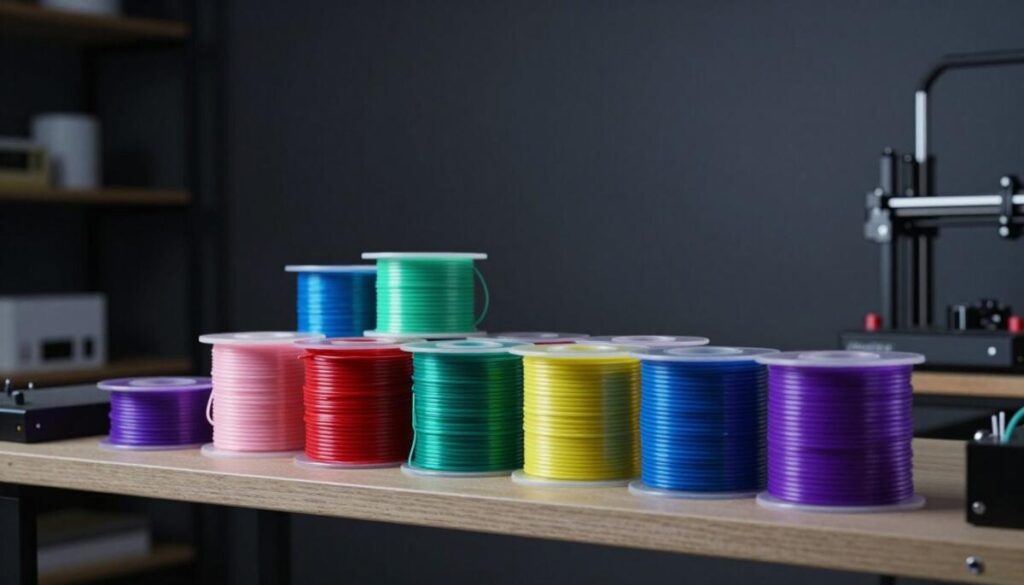
If you already own a printer, filament is where sale shopping makes the most sense. It doesn’t go out of style, and multi-spool bundles tend to be the best value. Just keep in mind that PLA absorbs moisture over time, so buy what you’ll realistically use over the next several months and keep it sealed.
Polymaker PolyLite PLA
I wrote up my experience with this brand in my Polymaker filament review, and I really like how clean and predictable it is to print with. It works great on just about any printer, from an Ender to a Bambu Lab, which makes it a nice size of purchase for a gift or a stocking stuffer.
It’s better suited for everyday prints, desk gadgets, and prototypes than for anything left in a hot car or out in the sun, though for those jobs you’d want something like ASA or PETG instead. For general use, I think a multi-spool bundle is well worth it.
Polymaker PolyLite PLA — Best for: Anyone stocking up on everyday filament for a new or existing printer
Pros
- Easy to print on almost any printer
- Good value when bought as a multi-spool bundle
- Wide range of colors
Cons
- PLA is not suited to hot or outdoor use
Entry-level printers for first-timers
This is the category where Black Friday deals matter most, since a lower price can be the difference between trying 3D printing and not trying it. Open-frame printers are fine for PLA and PETG, and they take up less room.
Creality Ender-3 V3 SE
The Ender-3 line has been the default starter printer for years, and the V3 SE keeps that spirit with auto bed leveling and a simpler setup than older models. There’s a huge community behind it, so almost any problem you hit already has a forum post with a fix.
It’s better suited for someone who enjoys a bit of tinkering rather than someone looking for a completely hands-off experience, though the low entry cost and the supply of upgrades make it a great little machine to learn on. For a budget pick, I think the value is hard to beat.
Creality Ender-3 V3 SE — Best for: First-time buyers on a tight budget who don't mind some tinkering
Pros
- Affordable way into 3D printing
- Auto bed leveling takes out a lot of setup frustration
- Large community and plenty of upgrade parts
Cons
- Open frame and no enclosure, so it is limited to PLA and PETG type materials
Bambu Lab A1 Mini
If I had to name the easiest printer to hand to a beginner, this would be it. It’s compact, quiet enough for a bedroom or office, and it gets to a good first print quickly. The optional AMS lite combo adds multicolor printing if you want it, and it works great for toys, organizers, and small household fixes.
The build volume is smaller than full-size printers, so very large projects won’t fit, though most people print small items anyway. It’s also on my list for families, and I cover it more in my guide to 3D printers for kids and families. I think the price is fair for how little fuss it takes to use.
Bambu Lab A1 Mini — Best for: Beginners, families, and anyone who wants to print without fuss
Pros
- Very easy setup and reliable out of the box
- Compact enough for a desk or shelf
- Optional multicolor combo with the AMS lite
Cons
- Smaller build volume than full-size printers
Mid-range printers for hobbyists ready to upgrade
Creality K1C
The K1C is an enclosed, fast CoreXY printer that tends to land below the premium enclosed machines. It comes with a hardened steel nozzle, so it can handle tougher filaments like carbon fiber blends, and the enclosure helps with materials like ABS and ASA that warp in open air.
It’s better suited for someone comfortable adjusting settings and troubleshooting here and there rather than someone who wants Bambu-level polish, though it’s a strong option if the budget matters and you want an enclosure. Check today’s price, since this is one that often shifts during sales.
Creality K1C — Best for: Hobbyists who want an enclosed fast printer without paying top-tier money
Pros
- Enclosed and fast
- Hardened steel nozzle handles tougher filaments
- Usually priced below the premium enclosed printers
Cons
- Less polished software experience than Bambu Lab
The big splurge
Bambu Lab P2S
The P2S is the printer I’d point most serious hobbyists toward if they can stretch the budget. It’s an enclosed CoreXY machine that’s fast, quiet, and very consistent, and the combo version adds multicolor and multi-material printing. If you’ve been reading about the P1S, my P2S vs P1S comparison explains where the newer model pulls ahead.
It’s the biggest spend on this list, so it makes the most sense for someone who plans to print regularly rather than occasionally. Since discount labels can be misleading, compare the final price against the A1 Mini and K1C before deciding it’s worth it.
Bambu Lab P2S — Best for: Serious hobbyists who want one printer that handles most materials
Pros
- Enclosed CoreXY with a larger build volume
- Fast, quiet, and very consistent
- Combo option adds multicolor and multi-material printing
Cons
- Biggest upfront spend of the group
Holiday buying tips
- Decide on a budget first, then shop within it so a big discount label doesn’t push you into a printer you don’t need.
- Compare models rather than sale tags. A well-reviewed printer at its normal price often beats a weaker one marked down.
- Check what’s in the box and what else you’ll need, such as filament, a spare nozzle, a build plate, or an AMS for multicolor.
- Buy early for delivery, especially if the printer is a gift for Christmas on December 25.
- Keep gift receipts, and check the return terms before you buy.
FAQ
Are Black Friday 3D printer deals actually worth waiting for?
Often yes, since printers and filament are popular sale items, but it depends on the model. If a printer you want is available now and you need it, waiting isn’t always worth the risk of it selling out. Check the price a few times and decide on a number you’re happy with.
Which printer is best for a complete beginner?
I think the Bambu Lab A1 Mini is the easiest to get going with, while the Creality Ender-3 V3 SE is a good choice if you want to spend less and don’t mind learning more about how printers work.
Do I need an enclosed printer?
Not for PLA and PETG, which most people print most of the time. An enclosure like the one on the K1C or P2S matters if you want to print ABS, ASA, or other materials that warp in open air, and it also helps keep noise and drafts down.
As an Amazon Associate I earn from qualifying purchases. Links on this page may earn 3DPicks a small commission at no extra cost to you.